Every draft starts from the client's file.
Goals, training history, readiness, pain, equipment, and schedule sit beside the program they shape, so you can see why a draft looks the way it does.

RaiNGE keeps the athlete's context, the AI's draft, your edits, and your approval in the same workspace. Only the plan you approve reaches the athlete.

Context goes in, a coach-approved plan comes out, and check-ins come back to you as proposed changes.

Goals, history, readiness, pain, and equipment stay attached to the athlete.
RaiNGE turns that context into a complete program draft.
The coach checks intent, load, exercise choice, and safety.
Only an approved plan moves onto the athlete's calendar.
Logged sessions and check-ins come back to the client's file.
A check-in that crosses a threshold creates a pending adjustment. A coach approves it before the plan changes.
Comparing tools?Read the buyer guide
Goals, training history, readiness, pain, equipment, and schedule sit beside the program they shape, so you can see why a draft looks the way it does.
Sessions, sets, reps, rest, and notes arrive in the same builder you'd use by hand. Change one day without breaking the rest of the plan.
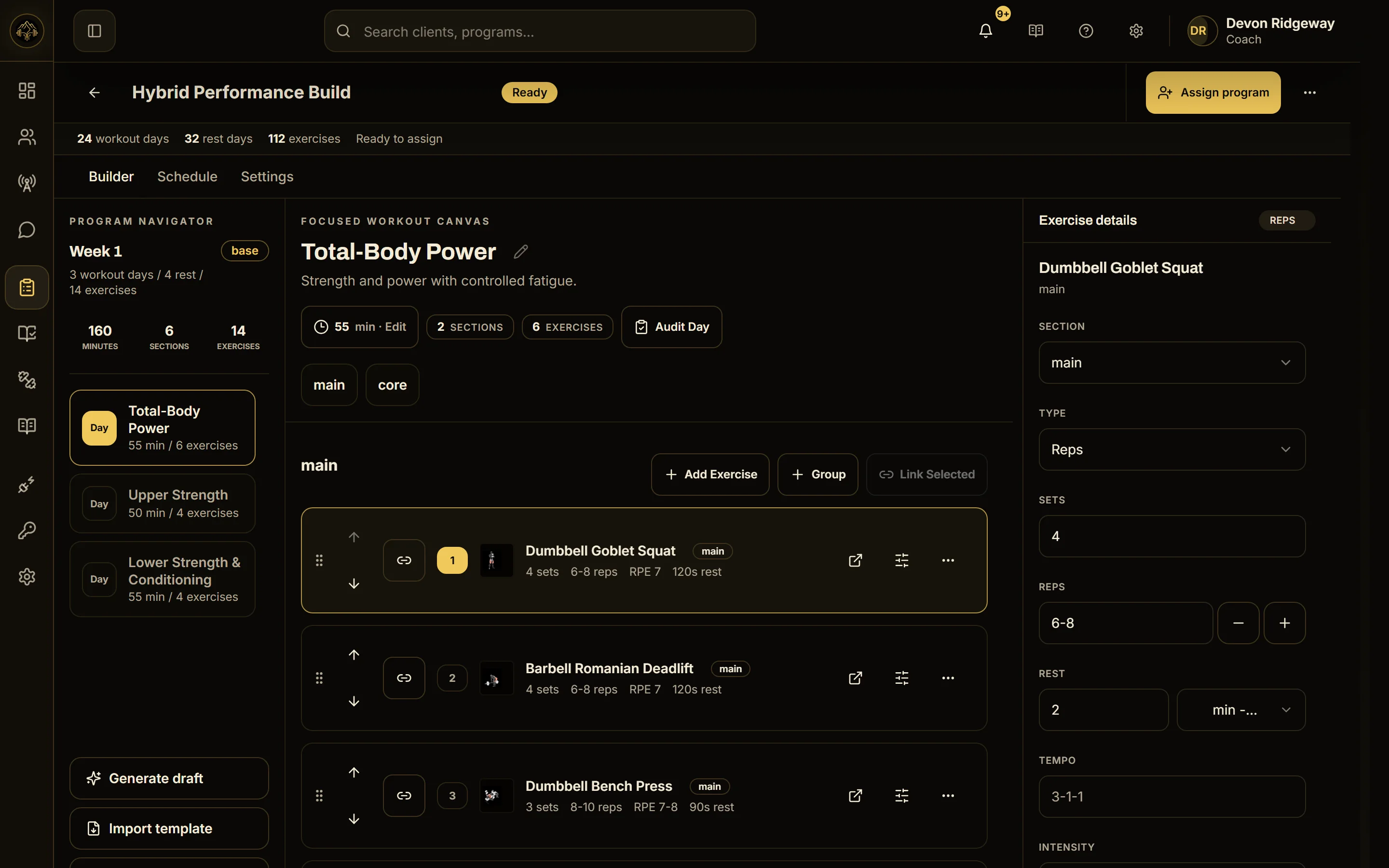
Fixed rules remove exercises that conflict with a client's flagged limitations, and cautions are shown to the coach.
Assigning is its own step. Pick the client, check the program, and choose a start date. Only then does training land on their calendar.

Readiness under 60%, pain of 4/10 or more, fatigue of 8/10 or more, or sleep quality of 4/10 or less creates a pending adjustment. It shows the trigger, the check-in data, the reasoning, and the before-and-after values. It only changes sets, reps, duration, rest, and intensity notes, never locked exercises, and nothing changes until a coach approves it.
We're inviting a small group of facilities and coaches to use RaiNGE with real programming.