RaiNGE software
Online personal training software for coaches whose week goes to programming decisions
An online coach's week has two halves: keeping clients engaged and deciding what each of them trains. RaiNGE covers the second half only. This page shows what that includes and what it leaves to other tools.
By RaiNGE product teamUpdated
Written for online coaches who spend more time deciding what to program than coaching.
RaiNGE is in private beta for coaches. Apply to draft from your own clients' context and approve every program.
On this pageWhere an online coach's week goes, and what RaiNGE touches
Where an online coach's week goes, and what RaiNGE touches
Take a coach with 40 online clients. Keeping them engaged means messages, check-ins, and billing. Deciding what each trains means rereading the client's notes, writing the week, and changing it when a check-in flags a problem. RaiNGE works on the second list, and the table marks where it helps and where you still need another tool.
Why the usual tools strain at 40 clients
Spreadsheets and PDFs hold your layout and little else: Tuesday's knee comment sits in a message thread, the new equipment sits in your head, and a midweek edit means a new file. Many coaching apps are built around delivery, engagement, and billing. Where they offer AI drafting, the Trainerize and TrueCoach comparisons show what we could and could not confirm about it. A chat AI drafts a plausible week and leaves the client record and the approval step to you.
At 40 clients the lookup can outweigh the writing. If finding each client's context takes 8 minutes, that is 5 hours and 20 minutes a week before you program anything. Time your own number first: it tells you whether the programming half of your week is the one worth handing off. The personal training programming software page runs the same sum for 10, 25, and 40 clients.
One client's loop in RaiNGE, from intake to the next adjustment
- 1
Intake
Capture the client's goals, training history, equipment, schedule, and injury and pain notes. Drafts are only as good as this record, so complete the injury notes and equipment first.
- 2
AI draft from context
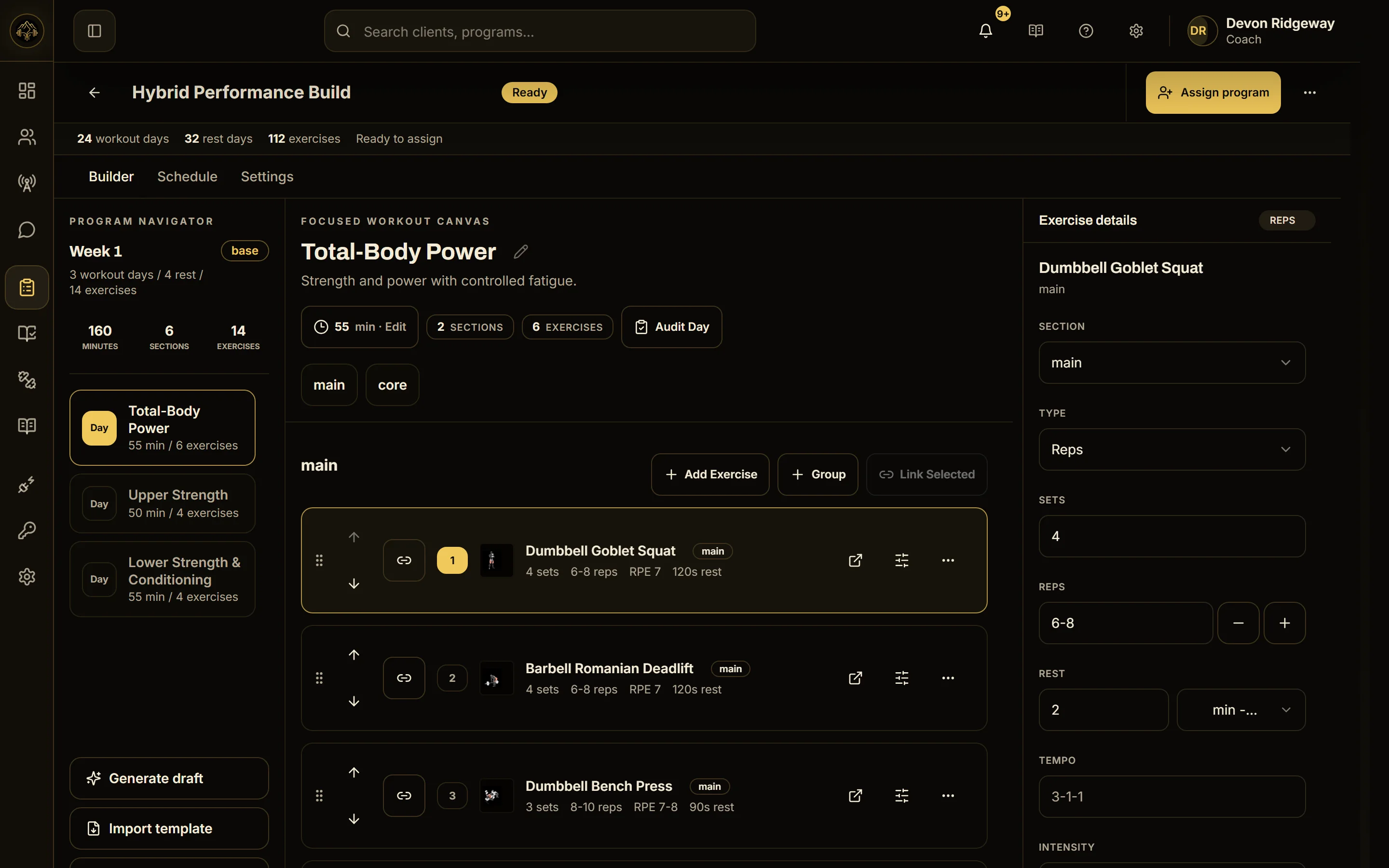
RaiNGE drafts the program from that context. Each exercise is matched to RaiNGE's canonical exercise library and carries a short coaching note.
- 3
Rule check
Safety rules remove exercises that conflict with flagged limitations, and cautions are shown to you. Full-program drafts also get a second AI review pass, which always runs when the client has injury notes. It uses the same model, so it does not replace your read.
- 4
Your review and approval
You review, edit, and approve. Nothing reaches the client before you do.
- 5
Check-in
The client sends a readiness check-in: readiness, sleep, fatigue, stress, soreness, and pain with its location. RaiNGE runs an adjustment check on it.
- 6
Pending adjustment for you
If readiness is under 60%, pain is 4/10 or more, fatigue is 8/10 or more, or sleep quality is 4/10 or less, RaiNGE creates a pending adjustment. It shows the trigger, the check-in data, the reasoning, and the proposed before-and-after values. The plan stays as written until you approve or decline.
The check reads the seven-day readiness trend, pain from about the last 36 hours, and the last five session RPEs. A strong check-in can prompt a suggestion to progress, and that waits for your approval like everything else. The AI workout generator page walks through the draft step in more detail.
Worked example: 40 clients, 12 flagged check-ins in one week
Back to the 40-client coach, in an example week with no customer data behind it. Twelve clients report something: a low readiness number, pain, high fatigue, or poor sleep. The table shows which reports create a pending adjustment and what the coach decides. Pain and readiness actions follow the published bands. Fatigue and sleep have no band of their own.
Eight of the twelve reports create a pending adjustment: readiness 48%, 55%, and 58%, pain 4/10, 5/10, and 8/10, fatigue 9/10, and sleep quality 3/10. The 8/10 client is also flagged for coach review, so 8 clients need a decision from you. The other 4 reports create no pending adjustment, so any action is your call, and the other 28 clients' plans are untouched.
Nothing changes until you act, and declining a pending adjustment leaves the plan exactly as written. At 5 minutes a decision, an assumption to replace with your own, the 8 decisions take 40 minutes of the week. The low-readiness guide and the pain score guide explain the bands behind the readiness and pain rows.
Who should look elsewhere
- Coaches whose heaviest block is delivery and billing. If messages, check-ins, and payments fill your week, a coaching app that covers them does more for you. The Trainerize and TrueCoach comparisons say who should stay put.
- Coaches who need nutrition, habits, or a branded client app in the same product. None of those is part of what RaiNGE claims.
- Small, stable rosters. With a dozen clients on two templates, a spreadsheet costs you less than a switch does.
- Anyone who wants plans to change on their own. A flagged check-in creates a pending adjustment, and nothing changes until you decide.
- Clinical or rehab work. RaiNGE is decision support for qualified coaches. It does not diagnose or treat.
Common questions
Can RaiNGE replace the coaching app I use for online clients?
Only for the programming part. Billing, nutrition, habits, messaging, and a branded client app are outside what RaiNGE claims, and it claims no integration with other platforms. A coach who wants both runs the two side by side and enters each client twice, so start with 3-5 clients, as the switching guide suggests.
What can a pending adjustment change?
Only sets, reps, duration, rest, and intensity notes, and never an exercise you have locked. An approved change applies to the assigned workout as one change you can revert, and the client is notified after it succeeds. To change the exercises themselves, ask for a swap and choose from the alternatives it suggests.
Does the equipment a client has at home change the draft?
Drafts start from the client's equipment and schedule, so a home setup with dumbbells, a band, and 40 minutes is part of the starting context. You still review every exercise against what you know about the person before you approve the program.
Do I review every draft, even for long-term clients?
Yes. A coach reviews, edits, and approves every program before it reaches a client, whether it is the first draft or the twentieth. The review is only as good as the profile behind the draft, so keep injury notes and equipment current.